
When I worked in support roles, I spent a lot of time taking on tickets, diagnosing issues, updating notes, and communicating with users.
Back then, I started building a small internal tool using FastAPI to speed up repetitive support tasks—basic workflows like checking ticket metadata, validating issue states, and generating structured notes. It wasn’t a Model Context Protocol (MCP) system yet; it was a simple REST API that automated parts of the support flow I was handling every day.
MCP makes sense over that traditional route. Instead of pure APIs, MCP lets the LLM call structured tools, understand intent, and adapt responses to the role of the person asking.
Below are two scenarios that show how this new MCP-powered assistant behaves like a full-stack support teammate.
Scenario 1: Bob the SRE
Goal: Determine the root cause of a red alert and understand the blast radius.
This is the type of issue I used to triage manually with ticket after ticket—except now the assistant does the heavy lifting.
Bob:
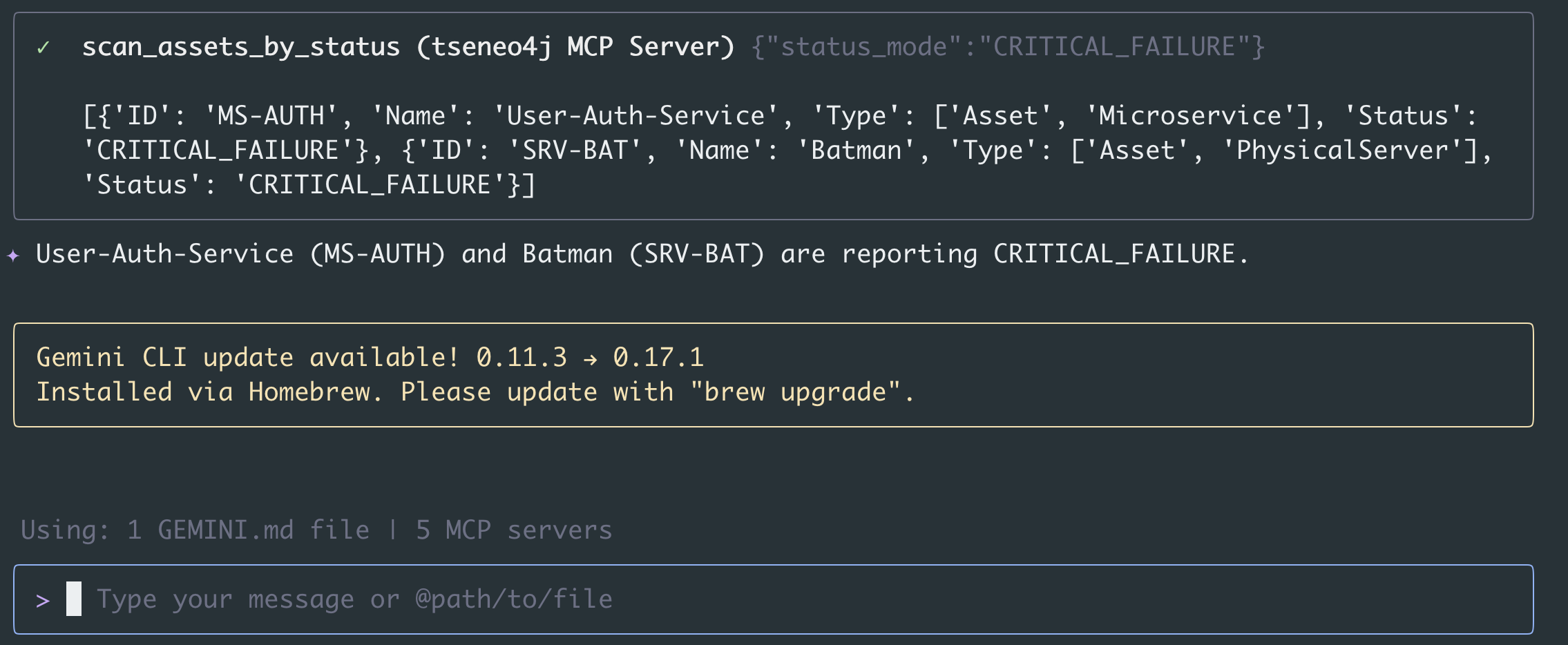
“System Alert Check. What is reporting CRITICAL_FAILURE right now?”
MCP (via tool call scan_assets_by_status):
- Batman (PhysicalServer) → CRITICAL_FAILURE
- User-Auth-Service (Microservice) → CRITICAL_FAILURE
Tracing the Impact
Bob:
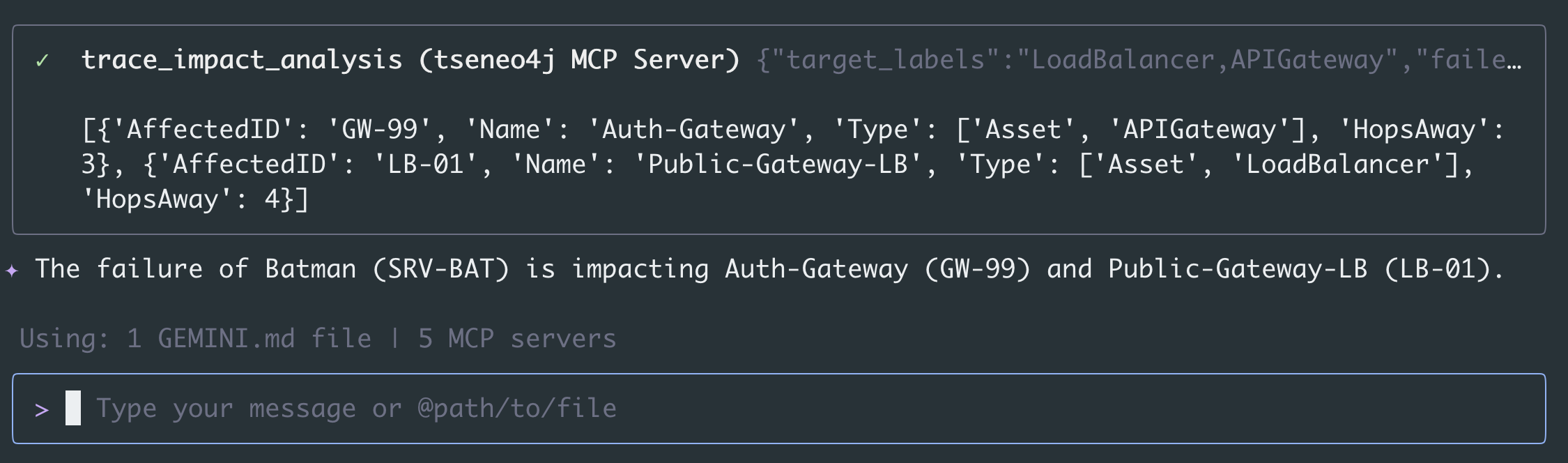
“Trace the impact from Batman. What is the full blast radius?”
MCP (trace_impact_analysis):
- User-Auth-Service → CRITICAL_FAILURE
- Auth-Gateway → WARNING
- Public-Gateway-LB → WARNING
Business Impact: VPN Access is completely down due to auth stack collapse.
With MCP, the LLM doesn’t just guess—it issues structured tool calls, just like the old FastAPI workflows I wrote, but now with reasoning and safety built in. It’s also grounded with a database backend for auditing.
Scenario 2: Charlie the Manager
Goal: Ensure tickets are clean and communication is clear for leadership updates.
This is very close to the work I did in Learning Support—making sure ticket notes were accurate, consistent, and helpful to engineering.
Charlie:
“Open a ticket for alice (alice@example.com) for “OutOfMemory errors” with an empty error log for now.”
“Please add a note to T-3122 for the engineering team.”
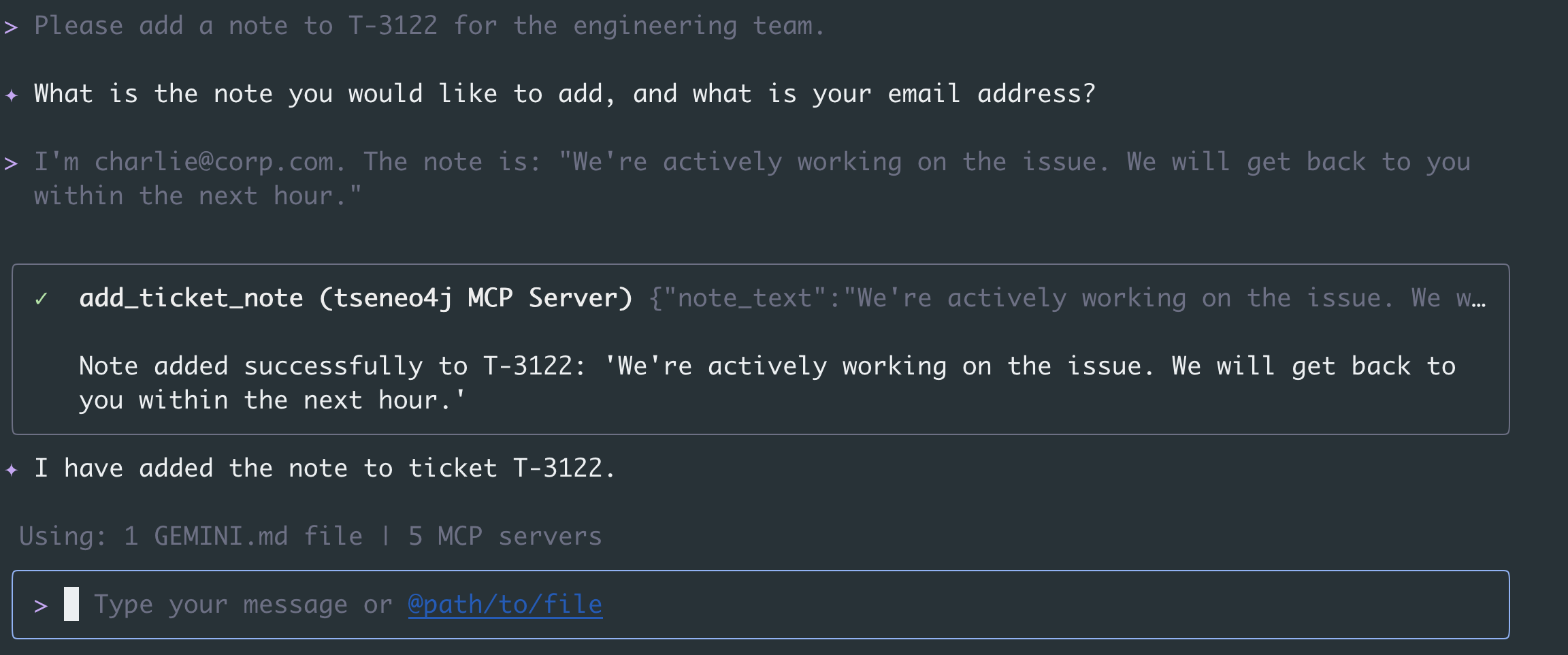
This takes the administrative workflow I used to handle manually—and even partially automated with FastAPI—and elevates it into a fully natural-language, tool-driven experience.