
Integrating legacy-style APIs like Bing Ads (which rely heavily on SOAP) into modern low-code tools like n8n can be frustrating. You often hit a wall: n8n handles OAuth2 gracefully for REST, but when you need to extract that token to manually craft a SOAP envelope, things get messy.
I recently explored two ways to handle this automation for an n8n in the community forums. One keeps everything inside n8n (but feels brittle), and the other externalizes the logic for a robust, secure pipeline.
The credential mechanism in n8n does a great job of taking care of the lifecycle of auth/auth. Unfortunately, n8n tucks away the access token under the hood. So, it’s not easy to get the token out to construct a payload to use in an HTTP request node.
The first option is a way to get at the access token. The second option recommends offloading the business logic to AWS lambda or Azure functions.
Option 1: The “All-in-n8n” Approach (The Hack)
The Mechanism
Hijack the Credential: Use n8n’s predefined Microsoft OAuth2 credentials setup.
![creds]()
The Echo Server: Instead of hitting the actual Microsoft API immediately, configure an HTTP Request node to hit your own host.
- I wrote a simple “Echo Server” for this purpose. It accepts the request, strips out the
access_tokenfrom the header, and dumps it back in a JSON response. - Check out the gist here: GitHub Gist: Echo Server for Token Extraction
- I wrote a simple “Echo Server” for this purpose. It accepts the request, strips out the
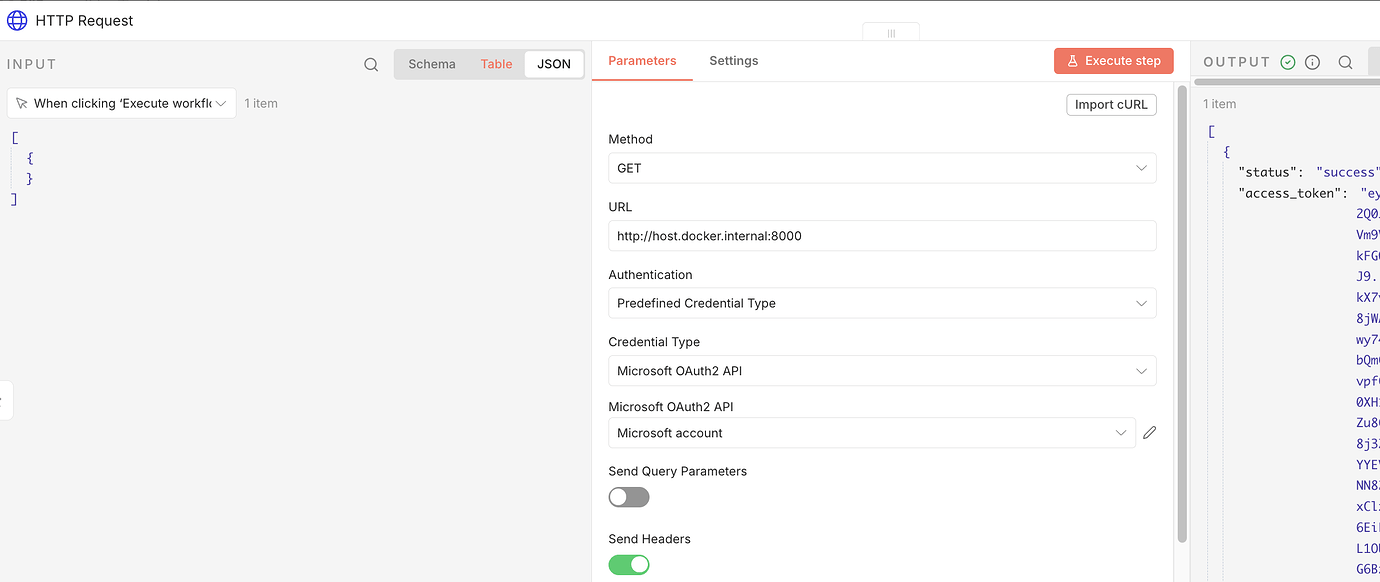
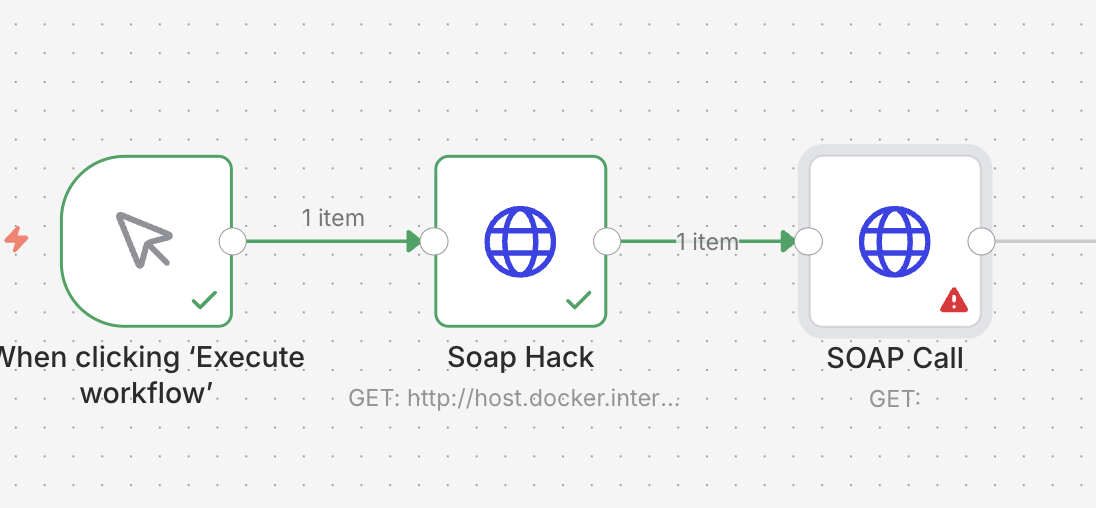 (Above: The HTTP node hits my echo server to extract the token)
The SOAP Payload
Once the echo server returns the access_token, you can pass it to downstream nodes. You will need to manually construct the SOAP XML payload in a subsequent HTTP Request node.
1
2
3
4
5
6
7
8
9
10
<s:Envelope xmlns:s="schemas.xmlsoap.org" xmlns:i="www.w3.org" xmlns:a="schemas.microsoft.com" xmlns:b="bingads.microsoft.com">
  <s:Header>
    <b:DeveloperToken>YOUR_DEVELOPER_TOKEN</b:DeveloperToken>
    <b:AuthenticationToken>YOUR_ACCESS_TOKEN</b:AuthenticationToken>
    <b:CustomerId>YOUR_CUSTOMER_ID</b:CustomerId>
    <b:AccountId>YOUR_ACCOUNT_ID</b:AccountId>
  </s:Header>
  <s:Body>
    </s:Body>
</s:Envelope>
1
Warning: This approach leaks your access token in the workflow execution logs and history. It is extremely brittle because you are manually managing XML strings.
Option 2: The “Engineer” Approach (Secure & Robust)
This is my preferred method. It avoids brittle XML manipulation and keeps secrets secure. Instead of forcing n8n to do heavy lifting it wasn’t designed for, we offload the logic to a cloud function (AWS Lambda or Azure Functions) and use the official SDK.
The Architecture
- Authorization Code Flow: Perform a one-time manual setup to get your Refresh and Access tokens.
- Secret Storage: Store these tokens securely in AWS SSM Parameter Store (or Azure Key Vault).
- The Code Node: Use a Python script (in AWS Lambda or an n8n Python node) to fetch tokens from SSM and use the official bingads Python SDK.
Step 1: The One-Time Setup
You need to establish “perpetual motion” for your authentication.
Get AUTH_CODE by accessing this from your browser (something like this)
1
<YOUR_CLIENT_ID>&response_type=code&redirect_uri=<YOUR_REDIRECR_URL>&scope=https://ads.microsoft.com/msads.manage%20offline_access
Exchange for refresh + access token. Write a small script to hit (check whether you want common or consumers) with post request including CLIENT_ID, CLIENT_SECRET, AUTH_CODE:
1
https://login.microsoftonline.com/consumers/oauth2/v2.0/token
Bring the refresh + access token into the n8n workflow. You should never have to do the above again. The access token is short-lived as designed, so use refresh token to get access token. The refresh token has a longer life and you can always exchange for a new one.. I would prefer to not to leak the access and refresh tokens all over the place, so my preference would be to move the access/refresh token management and logic to aws lambda or azure functions.